HP Elite Earbuds
A systray-resident Windows companion app for HP's wireless earbuds — at-a-glance battery and connection status without opening a full app, plus deeper audio personalization when needed.
OutcomeOne modal + button-group primitive backs nearly 20 distinct dialogs across the app — a spacing or copy-tone fix in one place propagates everywhere.
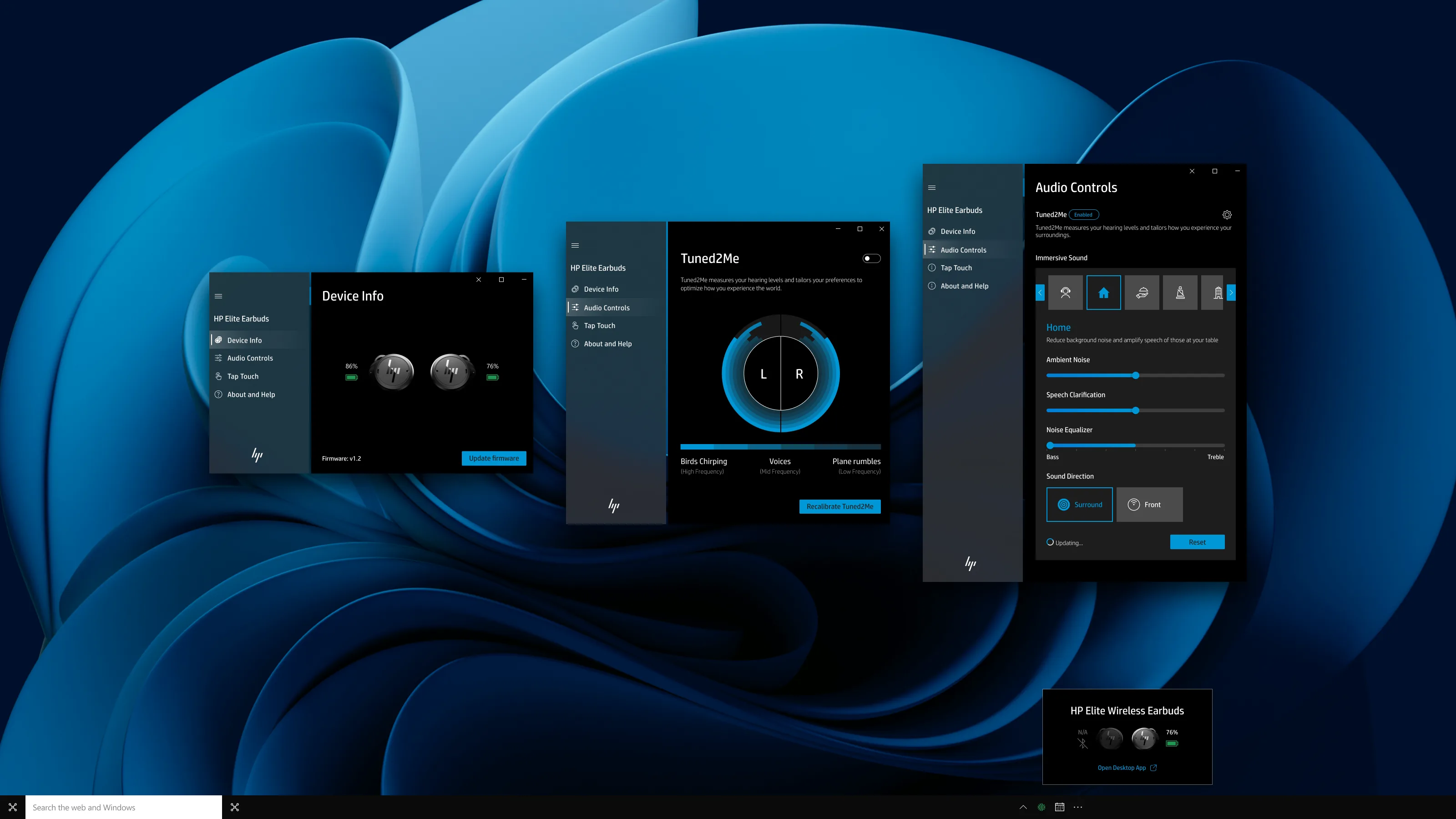
Overview
The Windows companion app for HP Elite Earbuds — a systray-resident desktop utility for pairing, battery and firmware status, and audio tuning (Tuned2Me personalized hearing, ANC, Sound Situation presets). The working file holds 66 shippable frames across eight functional modules, from ambient systray states to a deeply branched, modal-driven hearing-calibration flow.
The six screens below are selected from that set specifically to show staff-level product design thinking — state-machine reasoning across connection and battery permutations, componentized reuse so one pattern backs many contexts, and explicit design for failure modes — rather than a full walkthrough of every frame.
System Decisions
The core product decision was to make the systray the front door. Users could confirm connection, battery, and firmware availability without opening a full window, then move into the desktop app only when a task needed more space.
From there, the work became a state model. Battery status, disconnected states, setup, firmware prerequisites, hard errors, recoverable interruptions, and confirmation dialogs were treated as first-class screens rather than edge cases. That let engineering build from a documented UI contract instead of interpreting missing states later.
Screens
Six screens selected from the 66-frame file to show the underlying system: shared state shells, componentized controls, and explicit handling for every failure mode.

Disconnected, connecting, and connected states share one flyout shell — battery and quick controls only appear once a device is actually reachable.
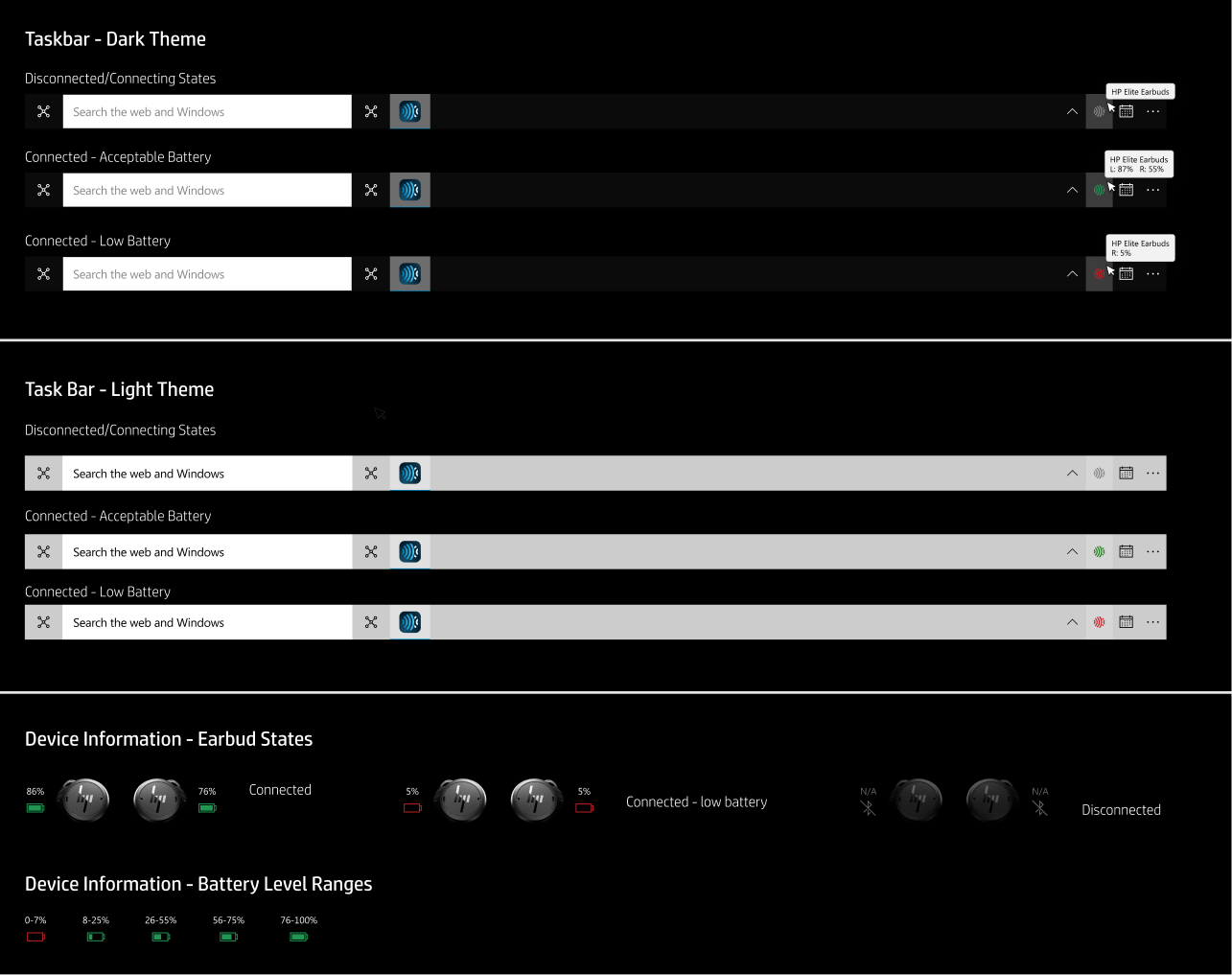
Left/right earbud × in-case/out-of-case × five battery bands, fully crossed — the documented contract for every hardware state the UI has to render.
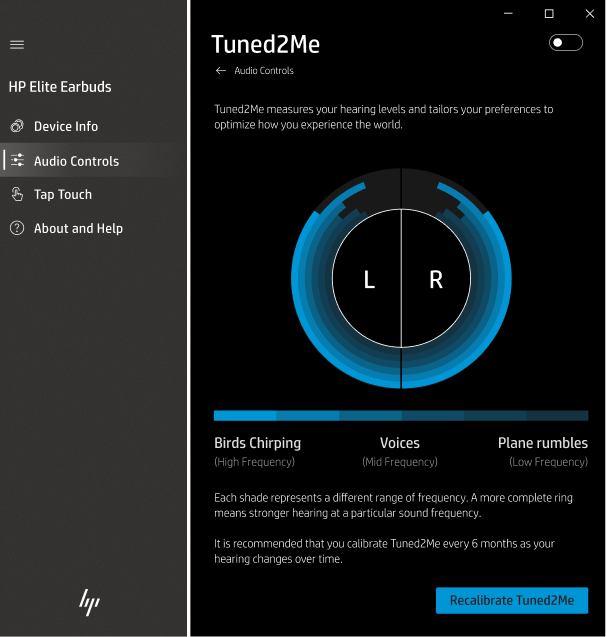
The most branch-heavy flow in the file. Roughly 25 of the 66 frames exist to handle real-world interruptions — noise, low battery, a dropped connection — not just the ideal path.
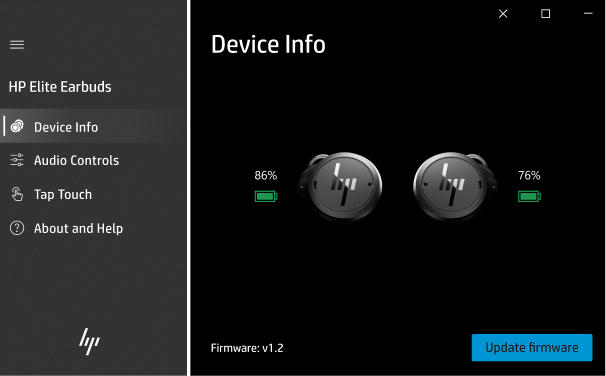
Five discrete states model the actual update lifecycle, with a do-not-disconnect warning and distinct recovery copy for a timeout versus a hard error.
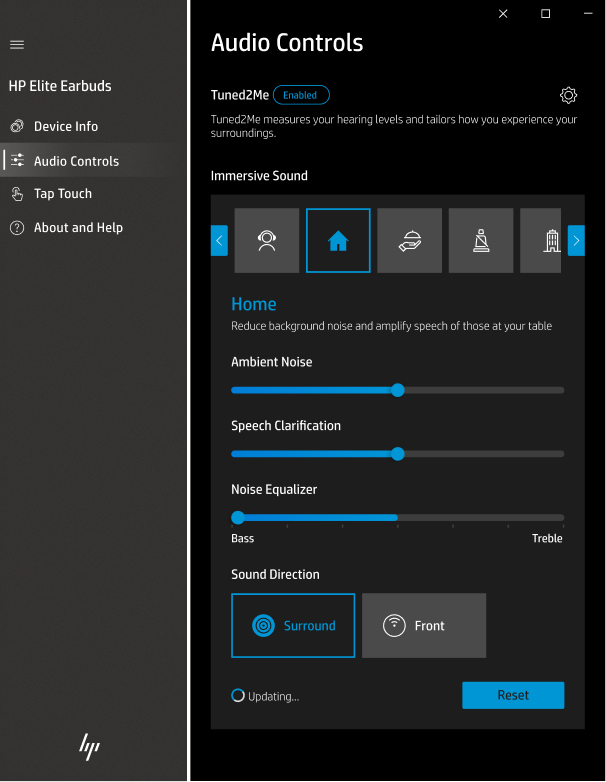
Tuned2Me, ANC, and Sound Situation share one reusable slider, toggle, and gallery-item component set instead of three bespoke panels.
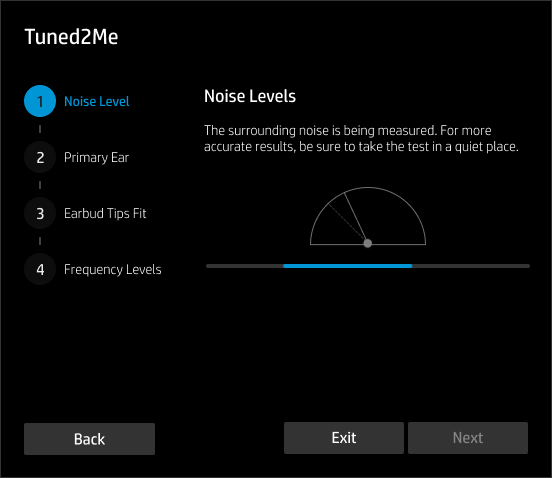
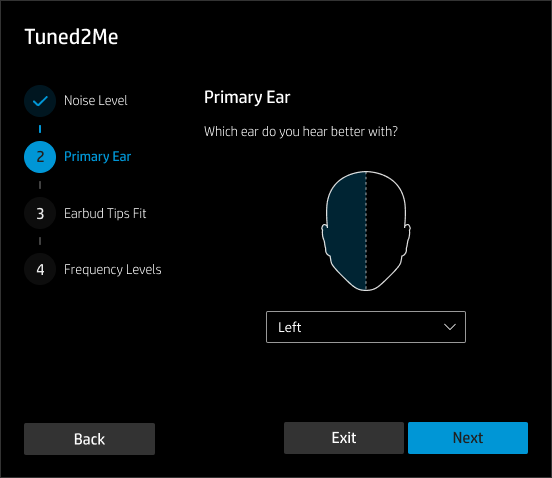
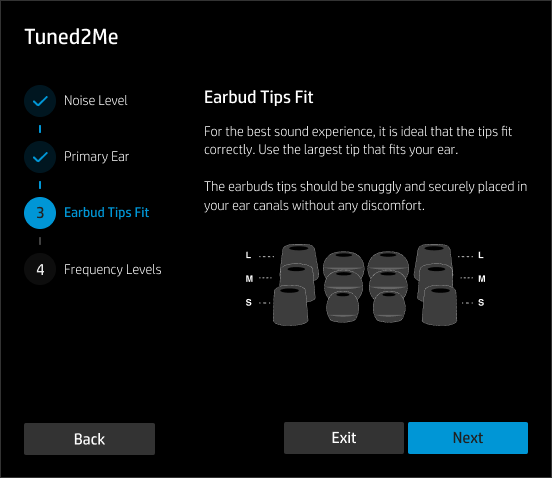
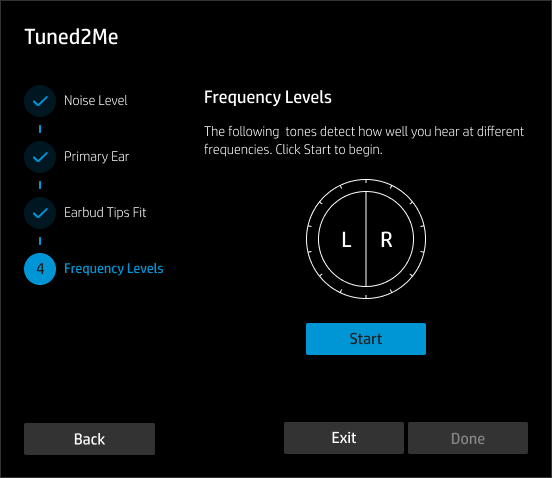
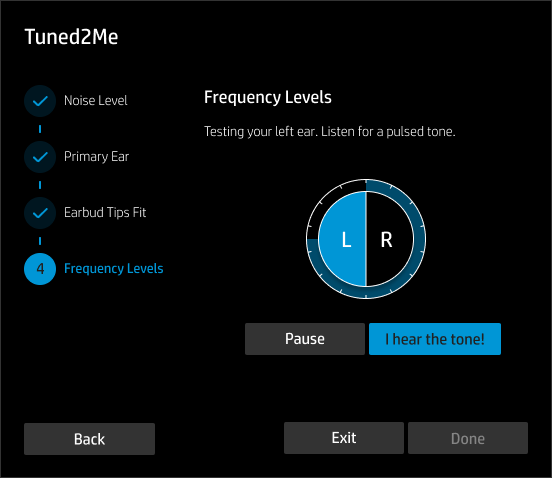
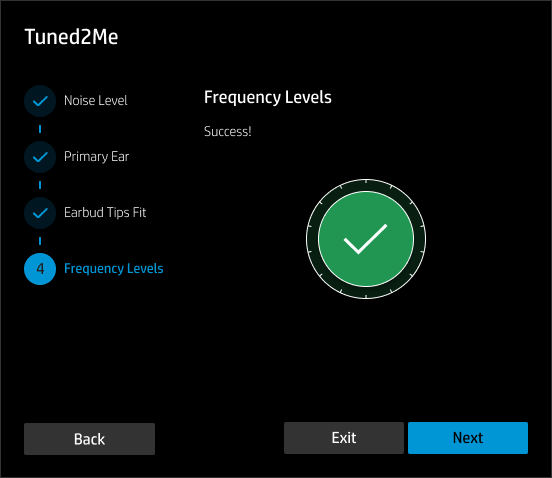
One modal shell reused across all six steps of the personal hearing calibration — eartip fit, primary ear selection, noise-level check, and frequency measurement, each sharing the same layout primitive.
Outcome
- 66 shippable frames across 8 modules, documented and organized as a rebuildable system — not a pile of one-off screens.
- Every hardware state — two independently-charging earbuds × in-case/out-of-case × 5 battery bands — enumerated before engineering ever had to guess.
- One modal + button-group primitive backs 38 instances, the single most-used component in the file, so a spacing or tone fix in one place propagates everywhere.
- Roughly 25 of the 66 frames exist to handle interruptions — noise, low battery, a dropped connection — during the one flow most likely to get abandoned mid-task.